IBuffer Groups
-
Emacs
-
Elisp
-
Programming
The ibuffer command in Emacs is beyond useful- it gives you a great
overview of your open buffers and easy access to switch between them-
but you can make it even better. Recently I learned about ibuffer
groups a way to better manage the ibuffer. Buffer.
To do this, we can assign our groups to the
ibuffer-saved-filter-groups variable, which takes a list of NAME and
FILTER-GROUP-LIST. Then, we need to add a hook that changed the filter
groups to ibuffer-saved-filter-groups. Let's look at a simple example:
(setopt ibuffer-saved-filter-groups
        '(("Default")))

(add-hook 'ibuffer-mode-hook (lambda () (ibuffer-switch-to-saved-filter-groups "Default")))
This will put every buffer under a group called Default, which looks
like this:
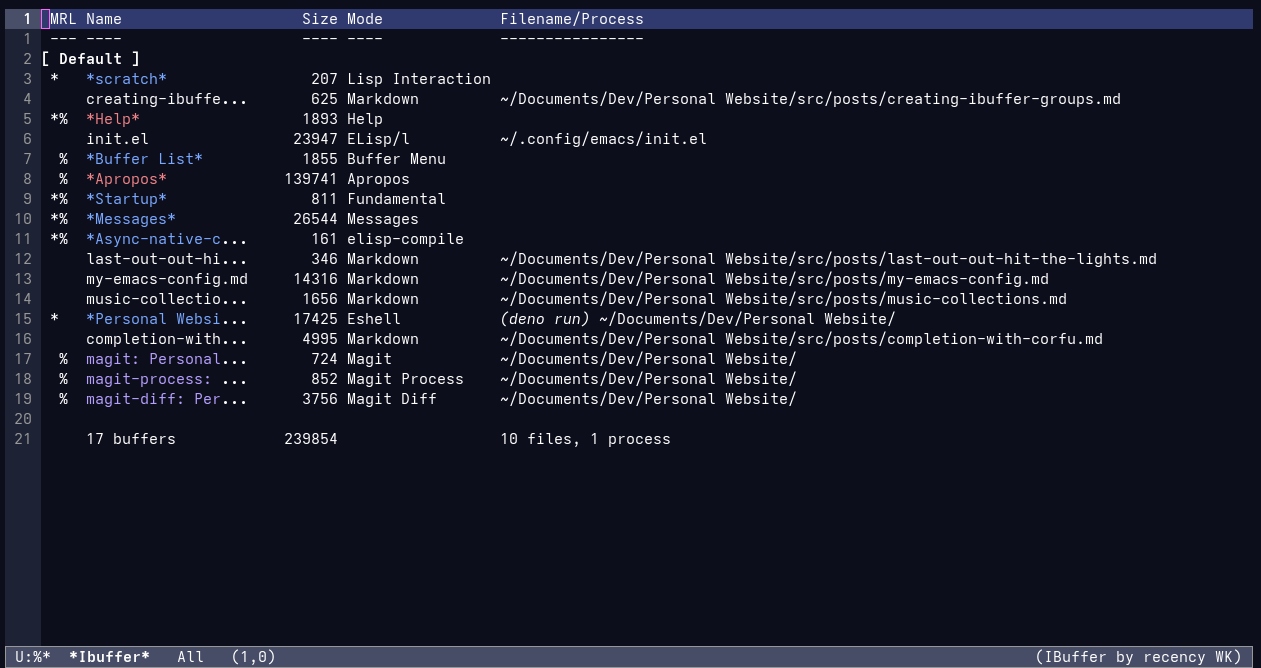
Now let's add another group.
(setopt ibuffer-saved-filter-groups
        '(("Default"
          ("Elisp" (mode . emacs-lisp-mode)))))

(add-hook 'ibuffer-mode-hook (lambda () (ibuffer-switch-to-saved-filter-groups "Default")))
This move put any buffer which currently uses the emacs-lisp-mode
under a new group called "Elisp". Now, if we delete the previous Ibuffer
buffer, then open a new one the buffer now looks like this:
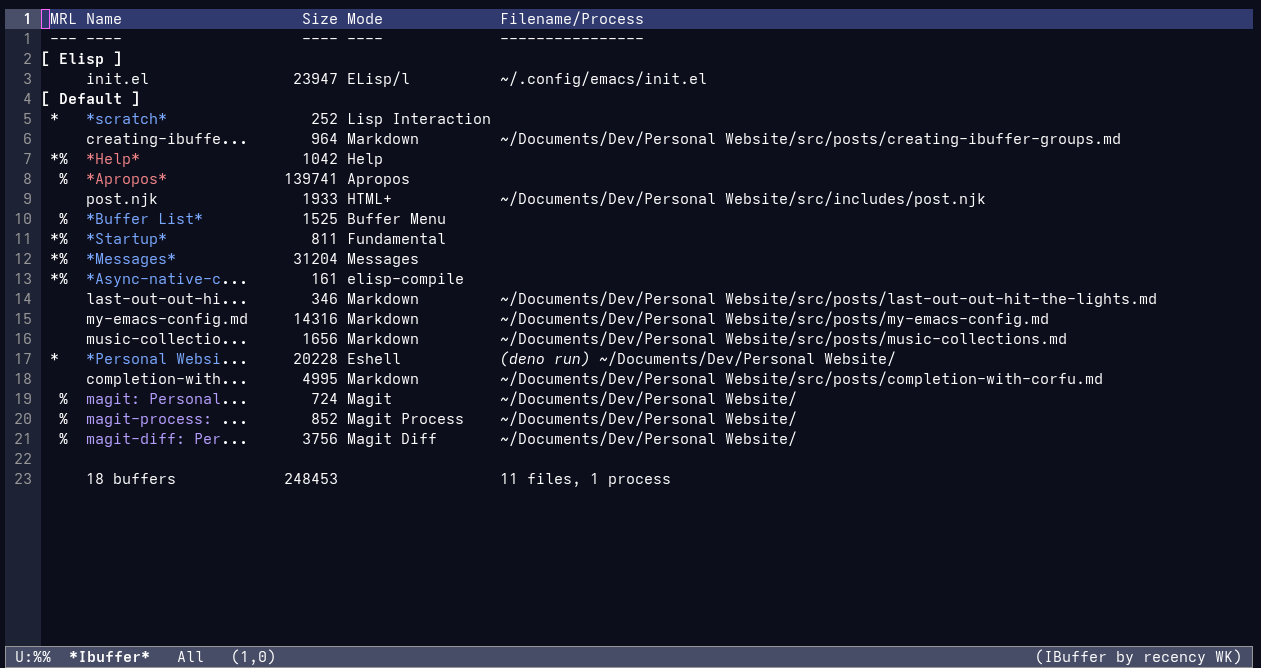
You might also notice that any buffer that doesn't use
emacs-lisp-mode is listed under the "Default" group.
Now, what if we wanted to group buffers that use either
emacs-lisp-mode or lisp-interaction-mode (the mode used for the
*scratch* buffer) under the "Elisp" group? Well, we can simply wrap
the (mode . emacs-lisp-mode) with the or form, like so:
(setopt ibuffer-saved-filter-groups
        '(("Default"
           ("Elisp" (or (mode . emacs-lisp-mode)
                        (mode . lisp-interaction-mode))))))

(add-hook 'ibuffer-mode-hook (lambda () (ibuffer-switch-to-saved-filter-groups "Default")))
Then is we delete the previous Ibuffer buffer, and create a new one, we can see…
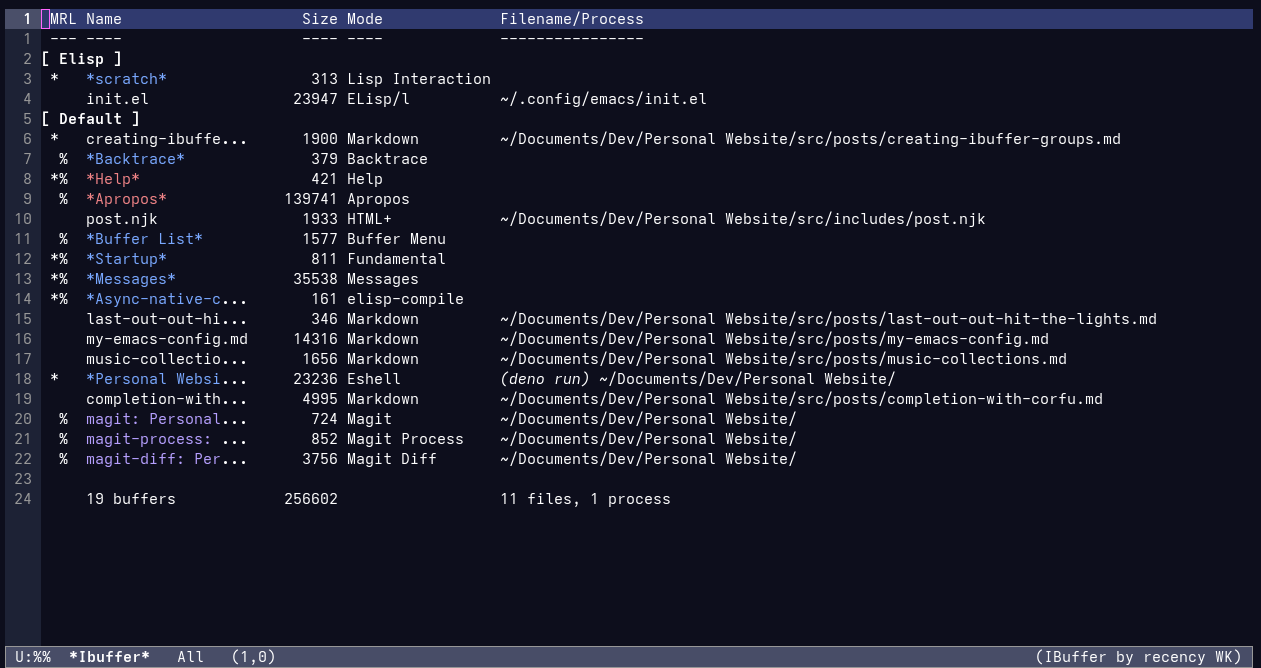
That now the init.el and the *scratch* buffer are listed under the
"Elisp" group!
Keep in mind, you can do more that just sorting by mode, you can also
filter by functions that return nil or non-nil.
(Also, fun fact: this is my first blog post written in Org Mode!)